
.png)
Posted by Robert Clifford, Developer Relations Engineer and Manjeet Rulhania, Software Engineer

A pillar of the Android ecosystem is our shared commitment to user trust. As the mobile landscape has evolved, so does our approach to protecting sensitive information. In Android 17, we’re introducing a suite of new location privacy features designed to give users more control and provide developers elegant solutions for data minimization and product safety. Our strategy focuses on introducing new tools to balance high-quality experiences with robust privacy protections, and improving transparency for users to help manage their data.
Introducing the location button: simplified access for one time use
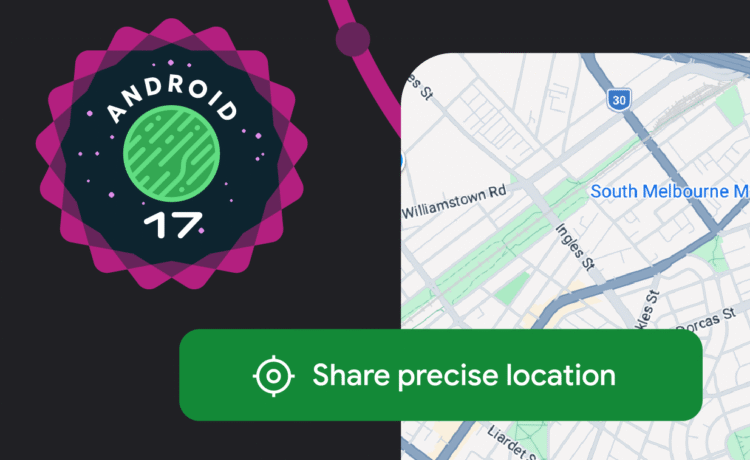
For many common tasks, like finding a nearby shop or tagging a social post, your app doesn’t need permanent or background access to a user’s precise location.With Android 17, we are introducing the location button, a new UI element designed to provide a well-lit path for responsible one time precise location access. Industry partners have requested this new feature as a way to bring a simpler, and more private location flow to their users.

Users get better privacy protection
Moving the decision making for location sharing to the point where a user takes action, helps the user make a clearer choice about how much information they want to share and for how long. This empowers users to limit data sharing to only what apps need in that session. Once consent is provided, this session based access eliminates repeated prompts for location dependent features. This benefits developers by creating a smoother experience for their users and providing high confidence in user intent, as access is explicitly requested at the moment of action.
Full UI customization to match your app’s aesthetic
The location button provides extensive customization options to ensure integration with your app’s aesthetic while maintaining system-wide recognizability. You can modify the button’s visual style including:
- Background and icon color scheme
- Outline style
- Size and shape
Additionally, you can select the appropriate text label from a predefined list of options. To ensure security and trust, the location icon itself remains mandatory and non-customizable, while the font size is system-managed to respect user accessibility settings

Simplified Integration with Jetpack and automatic backwards compatibility
The location button will be provided as a Jetpack library, ensuring easy integration into your existing app layouts similar to any other Jetpack view implementation, and simplifying how you request permission to access precise location. Additionally, when you implement location button with the Jetpack library it will automatically handle backwards compatibility by defaulting to the existing location prompt when a user taps it on a device running Android 16 or below.
The Android location button is available for testing as of Android 17 Beta 3.
Location access transparency
Users often struggle to understand the tools they can use to monitor and control access to their location data. In Android 17, we are aligning location permission transparency with the high standards already set for the Microphone and Camera.
- Updated Location Indicator: A persistent indicator will now appear to inform a user whenever a non-system app accesses their location
- Attribution & Control: Users can tap the indicator to see exactly which apps have recently accessed their location and manage those permissions immediately through a “Recent app use” dialog.
Strengthening user privacy with density-based Coarse Location
Android 17 is also improving the algorithm for approximate (coarse) locations to be aware of population density. Previously, coarse locations used a static 2 km-wide grid, which in low-population areas may not be sufficiently private since a 2km square could often contain only a handful of users. The new approach replaces this fixed grid with a dynamically-sized area based on local population density. By increasing the grid for areas with lower population density, Android ensures a more consistent privacy guarantee across different environments from dense urban centers to remote regions.
Improved runtime permission dialog
The runtime permission dialog for location is one of the more complex flows for users to navigate, with users being asked to decide on the granularity and length of permission access they are willing to grant to each app. In an effort to help users to make the most informed privacy decisions with less friction, we’ve redesigned the dialog to make “Precise” and “Approximate” choices more visually distinct, encouraging users to select the level of access which best suits their needs.

Start building for Android 17
The new location privacy tools are available now in Beta 3. We’re looking for your feedback to help refine these features before the general release.
- Feedback: Report issues on the [Official Tracker] or chat with us in the [Android Dev Slack].
Build a smoother, more private experience today.